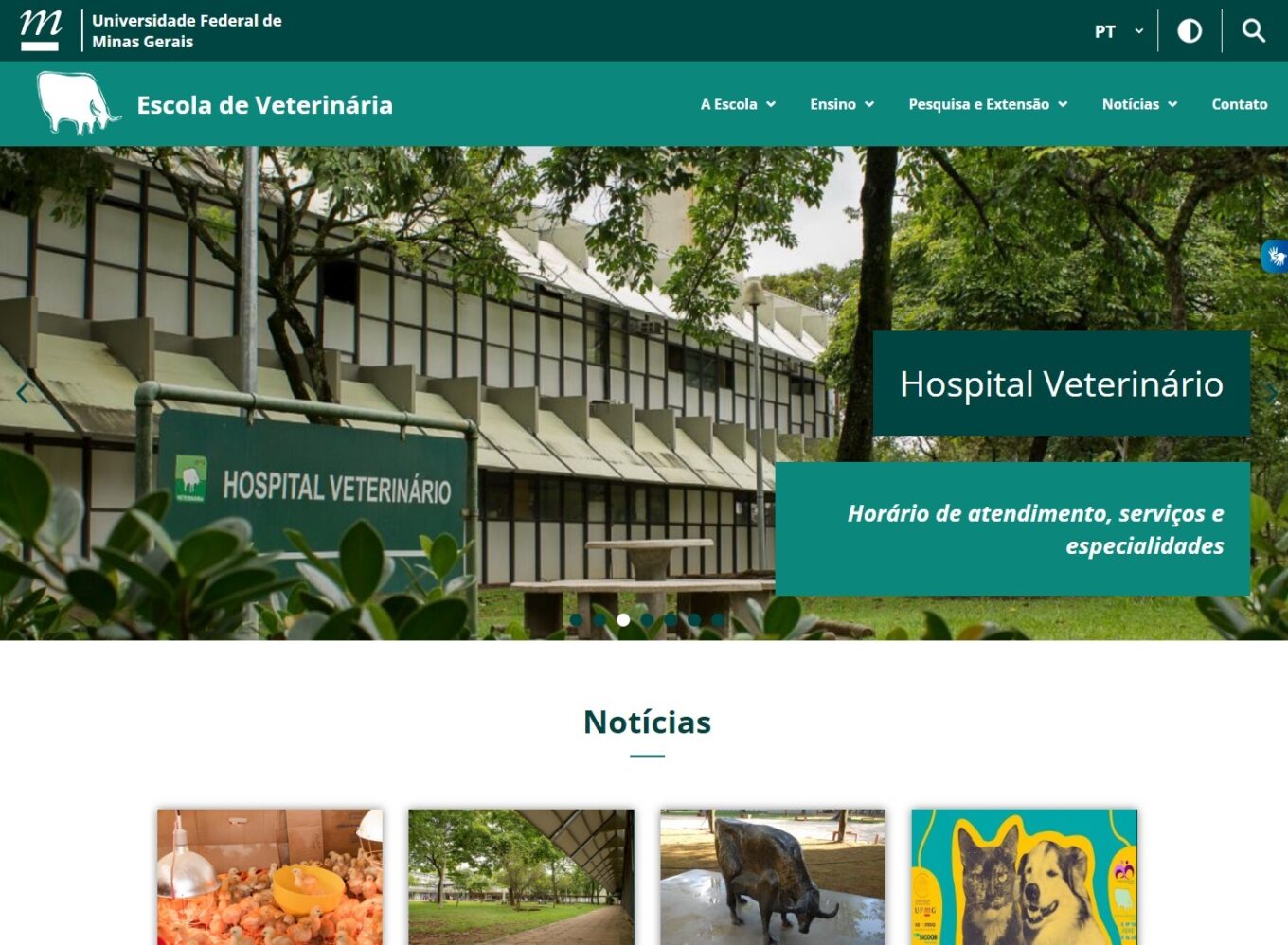
Federal University of Minas Gerais (UFMG) Veterinary School

The Federal University of Minas Gerais (UFMG) is the largest in the state and certainly one of the most important educational institutions in Brazil.

The Veterinary School’s website modernization project was born with the aim of granting autonomy to content editors through the adoption of a modern CMS such as WordPress, allowing all content to be easily managed.
What

were the

requirements

?

In addition to the need to create a cleaner and more current layout, many other customizations were required. That made the project come to me.

Some defined demands were:

  • Content organization facilitating the editors teams separation;
  • All existing legacy content import;
  • Provide editors with a visual way to link related data types (i.e. subjects in a course or professors in a department);
  • Visual form of recording language expressions that should not be translated or that require special translation to maintain the text fidelity;
  • Allow dynamic date fields and content types filters for advanced content search;

What was accomplished?

This was a very laborious project, largely due to the amount of information and the difficulty of fitting so many things together and still producing something that didn’t look so overwhelming.

I needed to separate all content types and organize them into dozens of post_types, each with their groups of custom_fields and still deliver them in a practical way where editors without technical knowledge could edit and maintain the contents.

Of the various customizations that I built especially for this project, I could separate two more interesting ones:

1- Post_types relationship
With this feature, editors can easily create, in a visual way, all the relationships between the existing data types and the reflections of these relationships can be checked immediately in the layouts that obey this link, delivering these contents to the user during navigation, without technical modifications, the template itself takes care of searching existing relatioship links and custom_fields.

2- Any content calendar
To be used anywhere, I created a mechanism and added a shortcode that can be filtered with any date type field, and allows the user to dynamically navigate between months, see the visually integrated calendar into the content and load the list of scheduled items for the specific dates.

Let's see how it turned out

this session images will open purposely in a new tab avoiding the lightbox
Scroll to Top